
I used the Stampin’ Up! Greatest Adventure stamp set from the Online Exclusives to create a quick birthday card to share today. I made this card out on my Instagram account this morning and you can find it here.

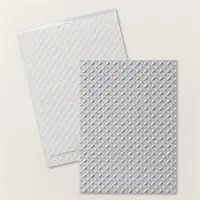
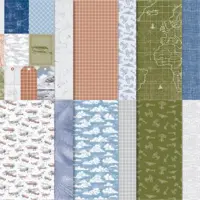
I started by adhering panels of patterned paper from the Take To The Sky DSP to the front of a Smoky Slate card base with Stampin’ Seal. Then I embossed a panel of Smoky Slate card stock with the Metal Plate 3D Embossing Folder and then adhered it with Stampin’ Seal over the gap in the two designer papers.

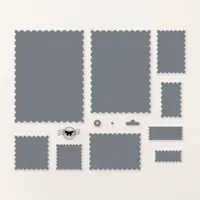
I stamped the train image from the Greatest Adventure stamp set (Online Exclusive item) in Basic Gray ink on a panel of Basic White card stock and then cut around it with one of the Perennial Postage Dies. I adhered the die cut image to a panel of Basic Gray card stock with Stampin’ Seal and then adhered it to the card front with Stampin’ Dimensionals.

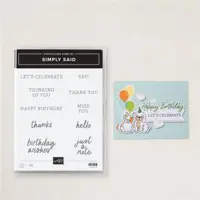
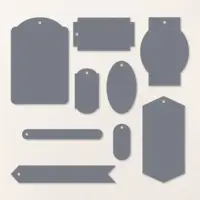
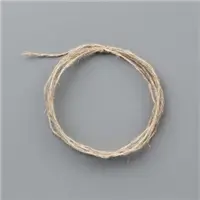
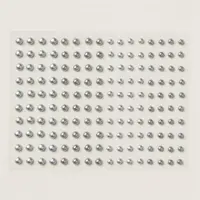
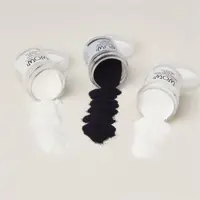
I stamped the sentiment from the Simply Said photopolymer stamp set in VersaMark ink on a panel of Basic Gray card stock, sprinkled it with white embossing powder from the Basics Wow! Embossing Powder and then heat embossed it. I cut the sentiment out with one of the Greetings Of The Season Dies (Online Exclusive item) and then pulled a length of Linen Thread through the die cut hole and tied a bow. I adhered it with Mini Glue Dots to the card front and then added two Basic Gray & Smoky Slate Pearls to finish the card front.

I stamped the sentiment from the Simply Said stamp set and train image from the Greatest Adventure stamp set in Basic Gray ink on a panel of Basic White card stock panel to finish the inside of the card.
You can see a list of supplies used to create this project, including the card stock cuts, at the very bottom of this blog post.
I’ve created a printable PDF with written instructions and a list of products used to create this project. You can download, print and/or save it by clicking this image:

July 1-15 Host Code: PHS4RQGH
Use this host code when you order $50 or greater and receive a free gift from me! If your order is over $150, please do not use this code, but you’ll still get the free gift. The free gift is your choice of any item valued up to $10.00 in the 2024-2025 Annual Catalog! See my Rewards page for full details.
Orders of $50+ placed through my online store also get my card class tutorials for the month! You can see the details on my Rewards page.
***Make sure that you can see my name on the final checkout page listed as your Demonstrator when you order so that you know that you’re ordering with me and you’ll get my rewards!
YouTube Live – 10:00 AM ET Today – Note The Time Change!

I’m planning to go live on YouTube at 10:00 AM ET today. Stop by my YouTube channel today at 10:00 AM ET to see a project that I made with the Friendly Fins stamp set bundle! Look forward to seeing you then!
Bonus Days From Stampin’ Up! Going On Now!

It’s time for one of your favorite promotions—BONUS DAYS! Because getting rewarded for all the crafting supplies you’re already going to buy is awesome! When you shop between July 3-31, for every $50 that you spend in one order, you will earn a $5 coupon! Make sure you save all your coupons because you can redeem them between August 1-31.
There’s no limit to how many coupons you can earn! And, as an added bonus, you’ll earn Running Shoe Reward points (my personal customer reward program) from me when you order $50+ too!!
Earn those coupon codes with orders of $50+ through July 31! Then redeem them on your orders in August! Let me know if you have any questions. You can head over to the online store to start your order right here!
Online Exclusives From Stampin’ Up! – Available Now!

Stampin’ Up! has some Online Exclusive items that are available to order now!! You won’t find these products in any catalog, they’ll only be listed in the online store.

The new products have some fall items, Halloween items and a lot of new Christmas/holiday items!! 
The Online Exclusive product releases will continue throughout the year so there will be new products to shop from, in addition to new catalogs!

The Glass Mat Studio is available now in the Online Exclusives too!!
Click here to head over to the online store to see what’s available in the Online Exclusives now!
If you need any stamping supplies, I’d be very happy to be your Demonstrator. Just click on the Order Stampin’ Up! Online Now button on the right side of the screen to go directly to my online store or drop me an email if you have any questions. Happy Stamping!

- Visit my online store here. Or scan the QR code below to go right to my online store via mobile device:

- Shop the Clearance Rack here.
- Earn FREE Stampin’ Up! Products – Join my Running Shoe Rewards Program – My online customer thank you program!
- Interested in purchasing a Starter Kit so that you can save at least 20% on every order that you place? Check out the details here.
- In addition to my online store, also take PayPal payments for orders – Check my Rewards page for more information.
- I offer gift certificates for Stampin’ Up! merchandise too! Click on my Gift Certificates page for more information.
- Follow me on:


Card stock cuts for this project:
- Smoky Slate – 5-1/2″ x 8-1/2″ card base scored at 4-1/4″, 3/4″ x 5-1/2″ strip
- Basic Gray – 3-1/4″ x 4-1/2″ panel, Greetings Of The Season die cut
- Basic White – three Sophisticated Sled die cuts, 4″ x 5-1/4″ panel (inside card)
- Take To The Sky Designer Series Paper – 1-3/4″ x 5-1/2″ panel, 2″ x 5-1/2″ panel
Stampin’ Up! products used to create this project:



LOVE that train image, what a great masculine card
Thanks Sandi! 🙂
love the card! Any tips to inking this stamp? Tried multiple things multiple times and just not getting a good image when i stamp?
Thanks Anita! If you’re getting a bubbly looking image, your ink pad is likely too inky. To fix it, take a sponge dauber, tap it lightly on the ink pad and then tap it all over the inked image and then stamp it. The sponge dauber evens out the ink and gets rid of the excess. Hope that helps! 🙂